
IPTV Box technology has revolutionized how we consume television, moving beyond traditional cable and satellite into a dynamic, internet-driven era. In 2026, the capabilities of an IPTV Box are more advanced and user-friendly than ever before, offering unparalleled access to content from around the globe. This comprehensive guide will delve into everything you need to know about selecting, setting up, and maximizing your IPTV Box for an optimal viewing experience.
Table of ContentsUnderstanding What an IPTV Box Is and Its EvolutionChoosing the Right IPTV Box for Your NeedsSetting Up Your IPTV Box: A Step-by-Step GuideMaximizing Your Viewing Experience with an IPTV BoxTroubleshooting Common IPTV Box IssuesThe Future of Your IPTV Box in 2026 and BeyondFAQ About Your IPTV BoxRelated IPTV Services
Understanding What an IPTV Box Is and Its Evolution
An IPTV Box, at its core, is a device that decodes and displays Internet Protocol Television (IPTV) signals on your television screen. Unlike traditional broadcast methods, IPTV delivers television content over IP networks, meaning your favorite shows, movies, and live events are streamed directly to your device via your internet connection. This fundamental shift has opened up a world of possibilities, from vast on-demand libraries to international channels previously inaccessible.
The evolution of the IPTV Box has been rapid and exciting. Early versions were often clunky, with limited features and sometimes challenging interfaces. Fast forward to 2026, and modern IPTV Boxes are sleek, powerful mini-computers, often running sophisticated operating systems like Android TV, offering app stores, voice control, and seamless integration with other smart home devices. This technological leap has made IPTV more accessible and appealing to a broader audience, transforming living rooms into personalized entertainment hubs.
The key advantage of an IPTV Box lies in its flexibility. Users are no longer bound by rigid programming schedules or limited channel packages. Instead, they can choose from a multitude of providers, customize their channel lineups, and enjoy content on their own terms. This level of control is something traditional television services simply cannot match, making the IPTV Box a compelling choice for contemporary viewers.
Furthermore, the integration of advanced codecs and streaming technologies ensures a high-quality viewing experience, often surpassing the resolution and clarity offered by older broadcast methods. With 4K and even 8K content becoming more prevalent, a capable IPTV Box is essential for truly appreciating the visual fidelity of modern media. The continuous innovation in this space promises even more exciting developments in the years to come.
Choosing the Right IPTV Box for Your Needs
Selecting the perfect IPTV Box can seem daunting given the array of options available in 2026. However, by considering a few key factors, you can narrow down your choices and find a device that perfectly suits your viewing habits and technical requirements. The operating system is a crucial starting point, with Android TV boxes being a popular choice due to their versatility and access to a vast app ecosystem.
Processor power and RAM are equally important. A more powerful processor and ample RAM will ensure smooth navigation, fast loading times, and the ability to handle high-resolution content without buffering or lag. For those who frequently stream 4K content or play demanding games, investing in a top-tier IPTV Box with robust specifications is highly recommended. Don’t underestimate the impact of these internal components on your overall experience.
Connectivity options also play a significant role. Look for an IPTV Box with strong Wi-Fi capabilities, preferably supporting the latest Wi-Fi 6 standard, for reliable wireless streaming. An Ethernet port is also a valuable feature for those who prefer a wired connection, offering maximum stability and speed. USB ports allow for external storage, peripherals, and sometimes even direct media playback, adding to the device’s versatility.
Finally, consider the user interface and remote control. A well-designed, intuitive interface makes navigating content a pleasure, while a comfortable and responsive remote control can significantly enhance your daily interactions with the IPTV Box. Some advanced models even offer voice control, further simplifying the search for your favorite shows and movies. Exploring different IPTV Box devices can help you make an informed decision.
Setting Up Your IPTV Box: A Step-by-Step Guide
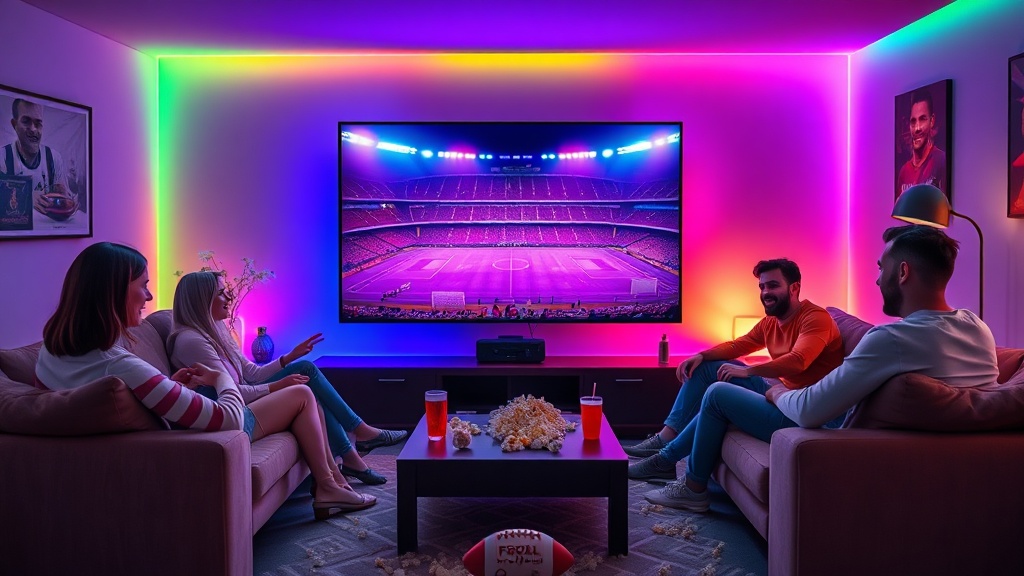
Once you’ve chosen your ideal IPTV Box, the setup process is typically straightforward, even for those new to the technology. The first step involves physically connecting the device to your television using an HDMI cable. Ensure your TV is set to the correct HDMI input to display the IPTV Box interface.
Next, connect your IPTV Box to the internet. This can be done either wirelessly via Wi-Fi or through a wired Ethernet connection. For Wi-Fi, you’ll typically navigate to the network settings on your IPTV Box, select your home network, and enter your password. A wired connection usually requires no further setup beyond plugging in the Ethernet cable.
After establishing an internet connection, you’ll likely be prompted to sign in with a Google account (for Android TV boxes) or create an account specific to your IPTV Box’s operating system. This step is crucial for accessing app stores, downloading content, and personalizing your device. Ensure you have your login credentials handy.
The final and most exciting step is installing your preferred IPTV application. Many IPTV Boxes come pre-loaded with a basic media player, but for a truly customized experience, you’ll want to download an IPTV player from the device’s app store. There are numerous excellent options available, each offering different features and interfaces. Once installed, you’ll typically enter your IPTV provider’s M3U URL or Xtream Codes API details to load your channels and content. For details on various packages, check out FlexIPTV pricing plans.
Maximizing Your Viewing Experience with an IPTV Box
To truly get the most out of your IPTV Box in 2026, there are several tips and tricks you can employ to enhance your viewing experience. One of the most critical aspects is ensuring a stable and fast internet connection. A slow or inconsistent connection can lead to buffering, low-quality streams, and overall frustration. Consider upgrading your internet plan or optimizing your home network for better performance.
Regularly updating your IPTV Box’s software and applications is another vital practice. Updates often include performance enhancements, bug fixes, and new features that can significantly improve your device’s functionality and security. Neglecting updates can lead to compatibility issues and a less-than-optimal experience. Most devices offer automatic updates, but it’s good to check manually from time to time.
Exploring the various settings on your IPTV Box can also unlock hidden potential. Many devices allow you to customize video and audio output, adjust display settings, and even remap remote control buttons. Taking the time to personalize these settings to your preferences can make a big difference in comfort and usability.
Finally, don’t hesitate to experiment with different IPTV applications and services. The market for IPTV is dynamic, with new providers and apps emerging regularly. Finding the perfect combination of an IPTV Box, a reliable provider, and a feature-rich application will ensure you have access to a vast array of IPTV channels and the best possible streaming quality. This continuous exploration will keep your entertainment fresh and exciting.
Troubleshooting Common IPTV Box Issues
Even with the most advanced IPTV Box, you might occasionally encounter minor issues. Knowing how to troubleshoot these common problems can save you a lot of time and frustration. One of the most frequent complaints is buffering. This is often due to a slow internet connection. Try restarting your router and modem, or if possible, switch to a wired Ethernet connection. You can also try reducing the stream quality in your IPTV app settings.
Another common issue is channels not loading or displaying error messages. This could be a problem with your IPTV provider, so check their status page or contact their support. It could also be an issue with your internet connection or DNS settings. Try clearing the cache of your IPTV application or reinstalling it. Sometimes, a simple restart of your IPTV Box can resolve many minor glitches.
If your remote control isn’t responding, first check the batteries. If they’re fine, try re-pairing the remote with your IPTV Box according to the manufacturer’s instructions. For issues with specific apps, try clearing the app’s cache and data, or uninstalling and reinstalling it. In more persistent cases, a factory reset of your IPTV Box might be necessary, but remember this will erase all your settings and installed apps, so use it as a last resort.
For more complex technical problems, consulting the user manual or visiting the manufacturer’s support website for your specific IPTV Box model can provide valuable insights and solutions. Online forums and communities dedicated to IPTV can also be excellent resources for finding answers and tips from other users. Patience and systematic troubleshooting are key to resolving most issues effectively.
The Future of Your IPTV Box in 2026 and Beyond
The landscape of television and media consumption is constantly evolving, and the IPTV Box is at the forefront of this transformation. Looking ahead to 2026 and beyond, we can anticipate even more sophisticated features and capabilities. Artificial intelligence (AI) is expected to play a significant role, offering highly personalized content recommendations based on your viewing history and preferences, making content discovery more intuitive than ever before.
Integration with smart home ecosystems will also become more seamless. Imagine controlling your IPTV Box with voice commands through your smart speaker, or having your lights dim automatically when you start a movie. The lines between various smart devices will continue to blur, creating a more interconnected and convenient entertainment experience. The potential for an IPTV Box to act as a central hub for home entertainment is immense.
Furthermore, advancements in streaming technology will undoubtedly lead to even higher video quality and lower latency. We can expect more widespread adoption of 8K streaming, along with improved HDR (High Dynamic Range) and immersive audio formats like Dolby Atmos. This will bring a cinematic experience directly into your living room, pushing the boundaries of visual and auditory fidelity delivered by your IPTV Box.
The business model for content delivery will also continue to adapt. While subscription services will remain prevalent, we might see more flexible pay-per-view options, micro-subscriptions for specific channels or events, and even ad-supported free content integrated more intelligently. The IPTV Box will be the gateway to these diverse content offerings, giving consumers unprecedented choice and control over their entertainment budget. The future holds exciting prospects for your IPTV Box.
FAQ About Your IPTV Box
What exactly is an IPTV Box?
An IPTV Box is a set-top box or media player that connects to your TV and internet, allowing you to stream television content delivered over Internet Protocol (IP) networks, rather than traditional broadcast methods. It decodes these signals for display on your screen.
Do I need a fast internet connection for an IPTV Box?
Yes, a stable and fast internet connection is crucial. For standard definition, 5-10 Mbps is usually sufficient, but for HD and 4K content, you’ll need at least 25-50 Mbps or higher to avoid buffering and ensure a smooth viewing experience.
Can I record shows on an IPTV Box?
Many modern IPTV Boxes and IPTV applications offer DVR (Digital Video Recorder) functionality, allowing you to record live TV or schedule recordings. This feature often depends on the specific IPTV Box model and your chosen IPTV service provider.
Are all IPTV Boxes the same?
No, IPTV Boxes vary significantly in terms of operating system (e.g., Android TV, custom Linux), processor power, RAM, storage, connectivity options, and user interface. Choosing the right one depends on your budget, desired features, and technical requirements.
Is IPTV legal?
IPTV itself, as a method of content delivery over the internet, is legal. However, the legality depends on the source of the content. Using an IPTV Box to access copyrighted content without proper licensing from legitimate providers is illegal. Always choose reputable and licensed IPTV service providers.
Related IPTV Services
You may also visit the following websites for similar services: